


Buy anything from 5,000+ international stores. One checkout price. No surprise fees. Join 2M+ shoppers on Desertcart.
Desertcart purchases this item on your behalf and handles shipping, customs, and support to South Korea.
⚡ Upgrade your data game—fast, secure, and hassle-free!
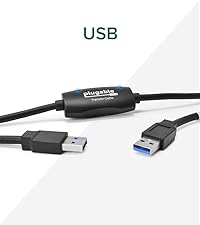
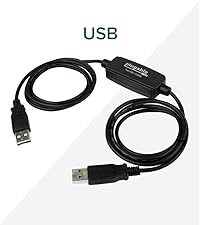
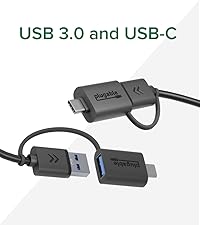
The Plugable USB Data Transfer Cable (USBC-TRAN) offers a 6.6ft hybrid USB 3.0 and USB-C cable designed for seamless, secure file transfers between Windows PCs at speeds up to 5Gbps. Bundled with Bravura Easy Computer Sync software, it supports unlimited transfers across multiple Windows versions and device types, eliminating the need for cloud or external drives.



| ASIN | B0D79Q4PDL |
| Best Sellers Rank | #55,152 in Computers ( See Top 100 in Computers ) #3,716 in USB Cables |
| Brand Name | Plugable |
| Cable Type | USB |
| Color | Black |
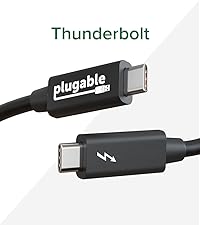
| Compatible Devices | USB, USB-C, Thunderbolt and USB4 systems |
| Compatible Phone Models | iPhone 15, iPhone 15 Plus, iPhone 15 Pro, iPhone 15 Pro Max |
| Connectivity Technology | USB, USB-C |
| Connector Gender | Male-to-Male |
| Connector Type | Usb, Usb 3.0 |
| Customer Package Type | sealed anti-static bag |
| Customer Reviews | 4.3 4.3 out of 5 stars (204) |
| Data Transfer Rate | 5 Megabits Per Second |
| Global Trade Identification Number | 00819927013440 |
| Included Components | 1x 6ft (2m) USB 3.0 Transfer Cable, 1x USB-C Keychain Adapter, 1x 16 character alphanumeric Product Key, 1x Quick Start Guide |
| Indoor Outdoor Usage | Indoor |
| Item Length | 6.5 Feet |
| Item Shape | Flat |
| Item Weight | 0.42 Pounds |
| Manufacturer | Plugable |
| Model | USBC-TRAN |
| Number of Items | 1 |
| Number of Pins | 9 |
| Other Special Features of the Product | Data Transfer |
| Part Number | USBC-TRAN |
| Recommended Uses For Product | Data Transfer between Windows computers |
| Specification Met | USB-IF |
| UPC | 819927013440 |
| Unit Count | 1.0 Count |
G**L
Transferred most of my data but not all but did the job I wanted it to do
D**H
We recently purchased a new laptop and needed an easy way to transfer all of our files and data from the old one. After researching different transfer options, I decided on the Plugable Data Transfer Cable—and I’m so glad I did. I ordered it on Amazon and it arrived the very next morning. Installation was simple. I followed the easy instructions to download the software on both laptops, then connected them using the cable. The cable includes both USB-A and USB-C ends, which made it fully compatible with both devices—no adapters needed, so it fit perfect! Once connected, the software opened a clear, user-friendly window where I could select exactly which files, photos, and data I wanted to transfer. It even gave me the option to set up the new laptop just like my old one, which I selected. The entire process took about 20 minutes, and when it finished, my new laptop looked and functioned just like the old one—everything transferred perfectly. The cable itself feels sturdy, well-made, and high quality. Overall, this was an incredibly smooth, fast, and stress-free experience. I highly recommend the Plugable Data Transfer Cable to anyone needing a reliable and easy way to move data to a new computer.
N**9
The file transfer program is very basic and is the only one that can be used, which is unfortunate as I have several other file transfer programs and backup / synchronization that have I'd prefer to use as they are much more sophisticated. Too many clicks are required on both computers to get the program running - it would be nice to have the option to 'not show window again' rather than be reminded to purchase the software and to open up to the folders previously used, rather than having to find and re-select each folder each time. But worst of all, the file transfer keeps dropping out. I'm back to using the flash drive for transfer. I really can't recommend this cable & software system. For me to start again I'd like to see more reliability in the transfers, (as well as less clicks and the ability to use my software). The real question is after almost 30 years of Windows, is after near 30 years of Windows (since Win95) why doesn't Microsoft have direct PC-to-PC file transfer sorted with just a simple USB cable that 'Plug-and-Plays', so I don't need a third party cable with additional electronics and basic software to have to do it.
M**H
I helped a friend set up their new PC laptop. With the help of this data transfer cable and the accompanying software, it was simply a breeze to transfer all the personal files over to the new machine. Both laptops had a USB-C connection. It's worth the money.
R**D
As an IT guy who has multiple laptops and is often upgrading, this cable was invaluable. I don't know why this approach isn't more spoken of or used, but I've always wanted to pursue this method of file transfer, and this cable was pure perfection. It requires a quick download and installation of software from the company's website (onto each laptop), then allows you to plug and chug. The cable comes with USBA/C adapters on both sides, and will handle USB 2 or 3. You can mix and match these between laptops too. The software interface allows you to "drive" on one laptop, telling it if you're transferring to or from that laptop, then offers sync or direct file copy options. I don't have hard MBPS numbers (probably depends on your laptops' tech), but this was much faster than using an external hard drive. At the end of a transfer, it gives you a helpful transfer log. As an example, I did a transfer of 72.5 gig of data in 36 minutes. And the process carries on in the background while you continue other work on either computer. If you're looking for such a capability, this cable is highly recommended.
Trustpilot
2 months ago
1 week ago