⚡ Elevate Your Network Game with WAVLINK!
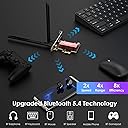
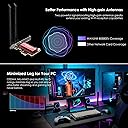
The WAVLINK WiFi 7 BE8800 PCIe Network Card is a cutting-edge wireless adapter designed for desktop PCs, offering tri-band speeds of up to 8800 Mbps, Bluetooth 5.4 connectivity, and advanced WPA3 security. Compatible with Windows 10/11, it features high bandwidth capabilities and a robust warranty, making it ideal for high-performance tasks like 4K streaming and remote work.


| ASIN | B0D8PSFQCV |
| Best Sellers Rank | #1,071 in Internal Computer Networking Cards |
| Brand | WAVLINK |
| Built-In Media | 1 x Bluetooth Cable, 1 x Drivers Download Card, 1 x User Manual, 1 x WiFi 7 BE8800 PCIe Network Adapter (chipset: Intel BE200), 2 x External Antenna, 1 x Low Profile Bracket, 3 x Screws |
| Compatible Devices | Desktop |
| Customer Reviews | 4.3 out of 5 stars 255 Reviews |
| Data Link Protocol | Bluetooth, Gigabit Ethernet |
| Data Transfer Rate | 8800 megabits_per_second |
| Hardware Interface | PCIE x 1, PCIE x 16, PCIE x 4, PCIE x 8 |
| Item Dimensions L x W x H | 3.4"L x 2"W x 7.7"H |
| Manufacturer | WAVLINK |
| Model Number | WL-WN685BE3-B |
| Number of Items | 1 |
| Product Dimensions | 3.4"L x 2"W x 7.7"H |
| Warranty Description | 1 Year |
J**K
Works great
This works great and was easy to install and understand. I am running Windows 11 and the drivers needed were automatically installed as I also had LAN (eithernet connection). Bluetooth was very responsive even without any antenna attached. I have not tested the Speeds or range yet but it seems to work great.
S**V
To improve WiFi speed
Easy to install. Games do not freeze.
C**T
Works well as both a Wifi and Bluetooth adapter
I have a system that did not come with built-in Wifi or Bluetooth. I was using a USB Bluetooth dongle on this system, but didn't have any Wifi. This PCIe adapter was acquired to remedy both shortcomings. Installation was trivial for me as I build my own computers, but a relative novice might have just a little bit of trouble installing it. You do need an open PCIe slot of any length (x1 through x16), which most systems should have. The odd thing to me was using a cable to connect the card to an available USB 2.0 port on the motherboard. I happened to have an available port and knew how to identify it, but I can see where this might be a concern for people who are not accustomed to working inside their computer. After physically installing the card and cable, I had to boot up Windows (it only works with Windows) and install drivers. This could end up being a Catch-22 for people who are getting this card to provide them with internet, but without driver files, can't connect to the internet. For those people, they will have to use a laptop or a friend's computer to download the drivers to a USB Flash drive, then bring it over to their desktop system to install the drivers. Driver installation was easy. There are two driver installers, one for Wifi and one for Bluetooth. It turns out that these are Intel drivers, which of course helps identify the chipset as being Intel. This is a good thing as Intel makes high-quality Wifi and Bluetooth chipsets. After installation, the system connected to both Wifi and Bluetooth normally. The computer identified the Wifi as Wifi 7, and the Bluetooth as 5.4. I was able to use both wireless connections successfully. Although installation has the potential to be a bit tricky, in the end everything installed smoothly so I didn't deduct any stars for this. The hardware performed as expected. Thus I can recommend this unit if you want the latest in Wifi and Bluetooth connectivity for your Desktop Windows computer.
J**H
Works out of the box on Windows.
Plug-and-play. I don't have WiFi 7 devices to fully test the speed, but it seems to work well with WiFi 6 devices. I haven't noticed any dropouts or anything weird, so it works as expected.
K**A
not recognized in my Linux PC, but Win10/11 recognized
This was not immediately recognized on my Linux Mint Debian Edition PC install, but Win10 and 11 both recognized the wifi and bluetooth devices. Speeds are great, I get the full 6a speeds of my router. Sadly, I don't yet have Wifi7, but will be getting it soon. I will update the review if there are any issues with this card connecting over Wifi7 compared to my current usage on a 6 router.
A**.
Zippy speeds equivalent to my iPhone 16 Pro Max
This is an Intel BE200-based PCI Express network card for a desktop computer. It includes both full height and half-height backsplash plates, with the full height installed by default, plus two external antennas and a cable to connect the Bluetooth feature to your mainboard. Installation was as easy as any other expansion card - just drop it into place. I actually found that Windows 11 already had drivers built in and ready to go, but I went ahead and installed the slightly updated drivers Wavlink provided just to be on the safe side. Performance here is exceptional. Connected to a TP-Link WiFi 7 router from several rooms away on a 6Ghz network, I can get 700Mbps download speeds - well within range of what my iPhone 16 Pro Max can receive from a similar distance. I'm sure it would be even faster if the two devices were closer. I haven't successfully used an MLO network yet, but I think that issue is on the TP-Link side as both my iPhone and this card have problems connecting when I enable that feature, so that's not this card's fault. Intel is a well-respected maker of Wi-Fi modules and this is pretty much the gold standard - highly recommended if you want to retrofit really fast wireless capabilities into a desktop PC.
C**W
really nice
i just bought a wifi 7 router, this work great with it. i was able to get a speed of 5-10gbps as that is my network max speed via lan to wifi.
J**D
I am not sure how good it is...
First let me start out by saying that I build computers, and I know how to plug things in. What I didn't know is that this card would not be compatible with my MB for some reason. I followed the (very short and non-detailed) instructions and figured it would be a breeze to configure. My original MB came with built-in WiFi, albeit version 5. Later, I upgraded to a PCIE WiFi 6e card from Asus and that has worked awesome. Saw this thing and figured, hey, I will upgrade my card so that I can utilize my awesome home router that supports BE. Nope. First star is knocked for lack of driver support or firmware. My asus one has dedicated drivers that I downloaded to a folder, and works after reboot, as expected. Ok, so this one says in the instructions that you go to their website and download the wireless and BT drivers. Ok. Easy enough. I go there and find my exact model (ends with the 'B'). All it is is an outdated Intel PRO set wireless driver. The one on the Intel website I grabbed after this one (the current driver version a/o 9/13/24), and it still did not work. Why does this not have its own dedicated driver? Perhaps it would actually work then. I returned, thinking I had a defective unit. It wouldn't even power on, or at least the green LED on the back near the antenna hookups did not light up. Of course, I do not know if it does since the instructions literally said nothing about the supposed LED. Either way, got the replacement and same issue. Nothing I tried worked. In BIOS I can see the card in the slot, but upon booting and rebooting after driver update it does not show up in the device manager at all. Totally a driver issue. When I upgrade my PC, I will probably just opt for an onboard WiFi 7 adapter anyways so. It was worth a shot. Second star knocked off for lack of documentation. If you have a newer computer, this may work for you. If it is 4-5 years old, I wouldn't bother. Just get the Asus 5800XE and you will be good to go for 1200mbps speeds through the air without the hassle.
L**C
Einwandfreies Produkt
Der Einbau stellt für erfahrene PC-Schrauber kein Problem dar. Die Karte funktionierte auf einer Dual-Boot-Maschine auf Anhieb, ohne Treiberinstallation. (LinuxMint 22.1, Windows 11). Habe mir dennoch die Windows-Treiber von der Website heruntergeladen und installiert. Einwandfreie Performance, BT sowie WiFi!
M**2
Connexion casque ok
Utilisé essentiellement pour le bluetooth. Connexion parfaite avec les écouteurs, pas de décalage de son par rapport à l'image,pas de latence. Testé également le wifi qui est ok mais repassé aussitôt en ethernet car le câble est là et rien de tel que le filaire mais ça fonctionne également. Je recommande
L**I
Consigliatissima
Ottima scheda, funziona alla grande!
S**N
Great Adapter
Really straightforward to install. My advice would be to download the drivers from the specified website on the documentation, before the install. This way, the blew adapter will run following re-start. It does what it says on the packet. I have WiFi 7 now running at 6ghz. Happy days.
S**A
Perfecto
Alcanza maxima velocidad en wifi, y es perfecto en bluetooth
Trustpilot
1 month ago
1 month ago