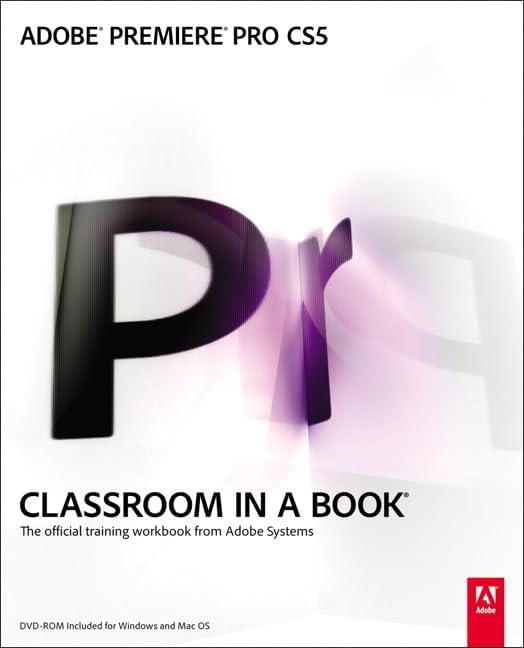
Adobe Premiere Pro CS5 Classroom in a Book: The Official Training Workbook from Adobe System
Product ID: 6603829
Those creative professionals seeking the fastest, easiest, most comprehensive way to learn Adobe Premiere Pro CS5 choose Adobe Premiere Pro CS5 Classroom in a Book from the Adobe Creative Team at Adobe Press. The 22 project-based lessons in this book show readers step-by-step the key techniques for working in Premiere Pro CS5. Readers learn the basics on things like using audio, creating transitions, producing titles, and adding effects. Once they have the basics down, they'll learn how to take their projects further by sweetening and mixing sound, compositing the footage, adjusting color, authoring DVDs, and much more. This completely revised CS5 edition covers new features such as Ultra, the new high-performance keyer. New workflows for creative collaboration are also explored, from the script all the way to the screen using Adobe Story, OnLocation, Speech Search, and other Adobe tools that are right at users' fingertips. Best of all, the companion DVD includes lesson files so readers can work step-by-step along with the book. All of Peachpit's eBooks contain the same content as the print edition. You will find a link in the last few pages of your eBook that directs you to the media files. Helpful tips: If you are able to search the book, search for "Where are the lesson files?" Go to the very last page of the book and scroll backwards. You will need a web-enabled device or computer in order to access the media files that accompany this ebook. Entering the URL supplied into a computer with web access will allow you to get to the files. Depending on your device, it is possible that your display settings will cut off part of the URL. To make sure this is not the case, try reducing your font size and turning your device to a landscape view. This should cause the full URL to appear. Review: Best way to learn this program - I admit that I am impatient learning new programs after having learned so many over the last 20 years. Adobe Creative Team really dealt with my impatience. So often when you learn software from books, you do not have the files you need to really learn the material. Adobe has provided a CD with files designed to have everything you need to understand the concept. The book was written for CS5 version, so there are some updates and changes which mean that it isn't quite right if you're learning the current version CS5.5. However, as the book cover tells you, there is CS5.5 bonus content on a website. It is in the form of an *.epub file. This is a bit baffling at first because Windows does not know what program it goes with. I'll save you some trouble by telling you that it runs under Adobe Digital Editions, which is free download. Once you know that, it all works pretty well (I sure wish they told me this in advance however!) The material is generally presented quite clearly. It is sometimes difficult to know exactly where they mean for you to go when they say something like "Select the Build Panel" and you don't see any panel with the title "Build". They are expecting you to remember a previous lesson where you got to the Build Panel by selecting Build from the File menu. What I'm saying is to expect your intelligence and short term memory to be tested by some of the instructions. The good news is that a little difficulty means you'll probably remember it better long term. The only criticism I have is the decision to spend a lot of space explaining concepts from programs which are not included with Premiere Pro. These are Soundbooth, Photoshop and After Effects. What is the point of having this material if you have to buy another program and you don't need it? There are plenty of books available for those who own these programs. Nonetheless, most chapters are quite useful and are very well organized. I did not find myself skipping ahead as I often do in software books that don't tell you first things first. I also found myself delighted and excited about many of the features I discovered in this book. Review: Great Learning Tool, Not a Reference Book - Did a lot of research on which book to buy in order to quickly learn Adobe Premiere Pro CS5. I settled on this one because it is published by Adobe and others had good things to say about it. I have to agree with most other reviews; this book is very helpful and allowed me to learn the software in a matter of just a few weeks. I did 1-2 lessons a day and skipped around based on what skills I wanted to learn. I have never done video editing before and was in no way familiar with Premiere Pro or any video editing software at all; this book made learning very simple. The interactive CD that the lessons in the book are based around was easy to use and the lessons were very well constructed. I was in the process of creating my first video for work while still doing the lessons in the book and I was able to immediately apply the the information in the book directly to my first project with no problems. One thing about this book, it does not function well as a quick reference guide. You have to sift through each lesson in order to find quick answers to common questions. This is not too much of a problem if you remember which chapter contains the information for which you are searching. I plan on buying the rest of the books in the series for Photoshop, Illustrator, After Effects, and the rest, when I can afford them.
| Best Sellers Rank | #4,828,810 in Books ( See Top 100 in Books ) #67 in Adobe Premiere #1,195 in Digital Video Production (Books) #35,596 in Computer Science (Books) |
| Customer Reviews | 4.1 out of 5 stars 102 Reviews |
A**T
Best way to learn this program
I admit that I am impatient learning new programs after having learned so many over the last 20 years. Adobe Creative Team really dealt with my impatience. So often when you learn software from books, you do not have the files you need to really learn the material. Adobe has provided a CD with files designed to have everything you need to understand the concept. The book was written for CS5 version, so there are some updates and changes which mean that it isn't quite right if you're learning the current version CS5.5. However, as the book cover tells you, there is CS5.5 bonus content on a website. It is in the form of an *.epub file. This is a bit baffling at first because Windows does not know what program it goes with. I'll save you some trouble by telling you that it runs under Adobe Digital Editions, which is free download. Once you know that, it all works pretty well (I sure wish they told me this in advance however!) The material is generally presented quite clearly. It is sometimes difficult to know exactly where they mean for you to go when they say something like "Select the Build Panel" and you don't see any panel with the title "Build". They are expecting you to remember a previous lesson where you got to the Build Panel by selecting Build from the File menu. What I'm saying is to expect your intelligence and short term memory to be tested by some of the instructions. The good news is that a little difficulty means you'll probably remember it better long term. The only criticism I have is the decision to spend a lot of space explaining concepts from programs which are not included with Premiere Pro. These are Soundbooth, Photoshop and After Effects. What is the point of having this material if you have to buy another program and you don't need it? There are plenty of books available for those who own these programs. Nonetheless, most chapters are quite useful and are very well organized. I did not find myself skipping ahead as I often do in software books that don't tell you first things first. I also found myself delighted and excited about many of the features I discovered in this book.
M**N
Great Learning Tool, Not a Reference Book
Did a lot of research on which book to buy in order to quickly learn Adobe Premiere Pro CS5. I settled on this one because it is published by Adobe and others had good things to say about it. I have to agree with most other reviews; this book is very helpful and allowed me to learn the software in a matter of just a few weeks. I did 1-2 lessons a day and skipped around based on what skills I wanted to learn. I have never done video editing before and was in no way familiar with Premiere Pro or any video editing software at all; this book made learning very simple. The interactive CD that the lessons in the book are based around was easy to use and the lessons were very well constructed. I was in the process of creating my first video for work while still doing the lessons in the book and I was able to immediately apply the the information in the book directly to my first project with no problems. One thing about this book, it does not function well as a quick reference guide. You have to sift through each lesson in order to find quick answers to common questions. This is not too much of a problem if you remember which chapter contains the information for which you are searching. I plan on buying the rest of the books in the series for Photoshop, Illustrator, After Effects, and the rest, when I can afford them.
J**H
Classroom in a book is the best way to learn
THe Classroom in a Book series is my favorite way to learn. This book takes you step by step through lessons that build up your knowledge of Premiere Pro. Instead of just being an overall guide to using the software it provides a structured way to learn it through the use of lessons and exercises - just like if you were in an instructor-led class! I like to work at my own pace so I find that the classroom in a book format is better for me than actually attending a class, plus you can learn on your own schedule. Have an hour or two free? Go through the next lesson. Busy tonight? Don't worry about missing a class, your book will be waiting when you're ready! The book includes a CD with all the lesson files on it. You simply copy the CD to your computer and as you go through each lesson in the book you'll work with specific files that are organized in folders by lesson. If you're wanting to learn Premiere for the first time then this is the book to get!
P**N
Three Stars
Good information but not easy to find exactly what I am looking for.
J**H
Met expectations: a great learning tool
I've gone through many iterations of the Classroom in a Book (CiaB) series. Each and every one has been a well organized and thoughtful approach to surveying adobe software. I have the CS 5.5 creative suite production premium, which raised a technical issue here and there given that the book was written for CS5. An error message preempts every lesson with the disclaimer that the files must be converted from the older version of the software, but the program will ask you "where is file _____ ", and from there all you need to do is navigate to the "assets" folder within your CiaB folder to click on the specified file. This becomes second nature with subsequent lessons - not much of a hindrance. Having read through this series, I feel like I have a comfortable grip on the creative suite. A solid buy!
M**S
Bravo!
Very good book on the basics of Premiere. We used it to make a feature film, "Guns and Weed: The Road To Freedom" for $2350, and the film got distribution! This book has excellent step-by-step info on editing, basic animation, color correction and sound fluffing, all of which we found very useful. This book also helped us with learning to color correct. We did that ourselves, as well as the sound mix, and the book gave us good tips on in-program audio compression and EQ. It also taught us all we needed to know about outputting for hi-def delivery to our distributor, outputting to DVD for promo copies, and outputting hi-def cleanly for both iPad and for YouTube.
L**N
Defected Disc
I have Classroom In A Book Id, Ai, and Ps... all were fine and great. The Pr versions disc however will not play on my computer. After trying to run it the computer just ejects the disc. Upon further inspection of the disc, it was covered in FINGERPRINTS, and pockmarks! The packaging was not tampered with in any way. Disgusting to open a brand new piece of merchandise and to have it covered in someone else's fingerprints, and to be so mishandled! I work in Afghanistan, so it's not really convenient to send it back for replacement.
N**K
Good Study Material for Adobe Certified Associate Exam
I used this book to study for my ACA (Adobe Certified Associate) exam. The good thing about this book is that it covers a lot of content and assumes that you really don't know much about video production. This worked well for me since I had a good amount of experience with Final Cut Pro 7 but no experience with Premiere. I used this book and did a few lessons each night starting a week before my exam. There is 3-4 chapters dedicated to other Adobe products from the Production Premium/Master Suite. While I found this a bit annoying and seemed like a bit of a marketing gimmick, it turns out that there is more than a few questions on the ACA exam that relate to this content and you will want to make sure you at least read these chapters if you plan on taking the exam. There is also quite a bit of information about best practices for video production (shooting, lighting, mics, etc.) again, its beneficial to know if you are planning on using this book as study material. At the end of the day I passed my certification exam and couldn't be happier. This book is a good resource if you're trying to just learn the software for personal/professional use or if you're going the route I did and plan on sitting for the actual certification exam.
A**S
Classroom in a book Prem Pro CS5.5
This is a a long awaited book and I have found it excellent and easy to use. Think they have looked at the way Idiot's Guides work, it is quite similar, though not as jokey and quite pro, but the thought processes are there, like quick look up about an aspect. Takes you through more than the basics and quite a lot of the more complicated aspects of the software. Well written, designed and laid out. Has a dvd with video lessons as yet un tried. Its a good read in its own right. Highly recommended. I have moved from Prem Elements to Pro and got fed up looking on line for info and a not always helpful online manual..makes big assumptions on knowing the terminology and what it does e.g. assets , sequences ,bins et al. (Very helpful on line user group indeed, but you cannot keep asking questions there, it is a pro user group after all.) This book will get you going well and answer a lot of whys and all of the terminology! Warning. PLEASE NOTE... Dolby 5.1. It tells you how to do Dolby 5.1 sound but VERY misleadingly, there is no licence with Prem Pro Software for Dolby 5.1 and after a 4 off guest trial, you have to pay about £250 to get a working burning codec.(Dolby stereo is standard with the software package). This could matter to you if you wish to offer 5.1 sound in a sales enviroment, especially as many crossover semi /pro cameras record 5.1 with HD video. Sony Vegas has Dolby 5.1 licensed on board with their software package (which is cheaper, but I would suggest less comprehensive in some areas). Adobe works with others of its family of packages you may use like Photoshop and Audition, (sound editing /multi tracking), directly importing and exporting into the edit; so, if you are thinking about which system to go with and 5.1 matters look at the costs and what you need to achieve and how you work. Very annoyed with Adobe not mentioning this anywhere in its sales areas, hence some publicity about this matter. Google this aspect to see many others caught out and annoyed..great to find out after the event!
L**I
Five Stars
Good condition and came with the CD
R**P
So far so good.
For the last couple of years I have been using Adobe Premiere Elements, and I bought a Classroom in a Book for that. Although it did teach me some stuff, it was extremely boring to work through, and way before the half way mark I abandoned the lessons and used it more as a reference. The same book for Premiere Pro is much better. Not only do you get far more interesting footage to work with, which is actually a scene (so far) from a multi camera shoot with an obvious production budget, and not somebody with a Handycam, but it is also written with a little more interest. Moreover, it teaches the techniques for editing from an editors perspective, it doesn't just tell you how to use it. There are also tips on what footage you should look at capturing when you do take on a video project. I'm just going back over lesson 6, and there are 21 in all. I may end up abandoning this before the end as it's such a nice piece of software to use (compared to Elements, which is still a good editor) that'll I'll want to get on and edit some of my own projects. But I'm not ready to stop now. Highly recommended for beginner video editors, and especially those coming from Elements. It's really easy to work with once you start to understand the differences between this and Elements, and this book is essential as there is so, so much more it can do. Rated 4 stars as I also have some Scott Kelby books for Photoshop and Lightroom, and this book just doesn't have the same "easiness" about it.
N**N
All rounder good book for beginners and intermedites.
I've been working on premire pro for past 8 years ish. And still didnt know most of the button did. After buying this book about 80% of it I knew. But this is a great book for begininers. It teachers all the buttons and capturing, formats etcetc. Easy step by step with pictures. The dvd is not a video its have the programs on it that link with the book. The only con is the price it'd be nice if it was £20-£25 not £30 :(.
S**N
Superb, easy to follow
A very well written book, very easy to follow and find what you need to do. I have only done a couple of the tutorials, preferring to dip in and out of the book to find the info that suits my needs. It has done this perfectly, as all I really needed to learn were Fades, Multicamera and titles. It has done this perfectly. It is very in depth, without being overly technical.
Trustpilot
2 months ago
1 week ago