Buy anything from 5,000+ international stores. One checkout price. No surprise fees. Join 2M+ shoppers on Desertcart.
Desertcart purchases this item on your behalf and handles shipping, customs, and support to South Korea.
🏷️ Label Like a Pro, Anywhere, Anytime!
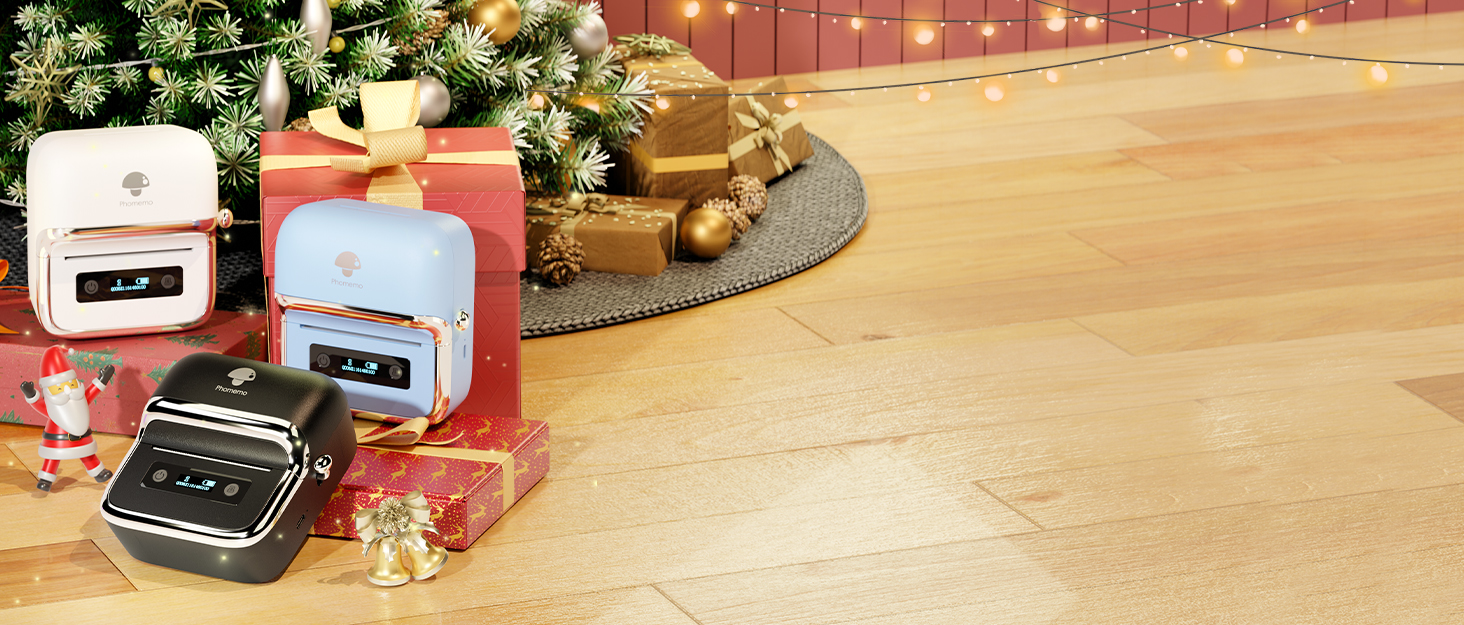
The Phomemo M250 is a 2026 upgraded portable thermal label printer featuring a powerful 2200mAh battery that prints up to 5000 labels per charge at speeds of 30-50mm/sec. It supports a versatile label width range (0.78"-3.14") ideal for barcodes, QR codes, and organizational labels. Compatible with Android, iOS, macOS, and Windows, it connects via Bluetooth or USB and offers extensive customization through the Print Master app, making it perfect for professionals and home users seeking efficient, on-the-go labeling.


| ASIN | B0DB85HF22 |
| Additional Printer Functions | Print Only |
| B&W Pages per Minute | 20 |
| Best Sellers Rank | #25,167 in Office Products ( See Top 100 in Office Products ) #76 in Desktop Label Printers |
| Brand | Phomemo |
| Built-In Media | 1 x Phomemo M250 Label Maker, 1 x USB Type-C Data Cable, 1 x User Mannual, 100 Sheets x 1.57'' x1.18'' Thermal Labels |
| Color | White |
| Compatible Devices | Laptops, PC, Smartphones, Tablets |
| Control Method | App |
| Controller Type | iOS,Android, Ipad OS, Mac OS, Windows10 |
| Customer Reviews | 4.2 4.2 out of 5 stars (699) |
| Dual-sided printing | No |
| Duplex | simplex |
| Hardware Interface | USB Type C |
| Initial Page Print Time | 20 seconds |
| Ink Color | Black, Red |
| Item Dimensions D x W x H | 5.05"D x 4.54"W x 2.61"H |
| Item Weight | 390.3 Grams |
| Manufacturer | Phomemo |
| Maximum Copy Resolution Black and White | 203 |
| Maximum Copy Speed Black and White | 30 ppm |
| Maximum Media Size | 0.78“ - 3'' |
| Maximum Print Resolution Black and White | 203 Dots Per Inch |
| Maximum Sheet Capacity | 230 |
| Model Name | Phomemo M250 Label Maker |
| Model Number | M250 |
| Model Series | M250 |
| Number of Drivers | 1 |
| Number of Trays | 1 |
| Other Special Features of the Product | Lightweight, PC connected by USB, Phone and tablet connected by Bluetooth, Portable, Thermal printing directly |
| Output sheet capacity | 3 |
| Paper Size | width from 20mm-75mm Millimeters |
| Print media | Labels |
| Printer Connectivity Type | Bluetooth, USB |
| Printer Output Type | Monochrome |
| Printer Type | Thermal |
| Processor Count | 1 |
| Resolution | 203 x 203 |
| Scanner Type | Portable |
| Series Number | 250 |
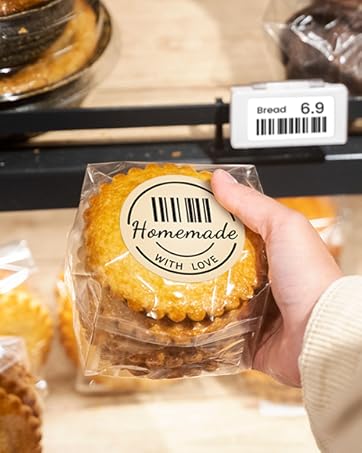
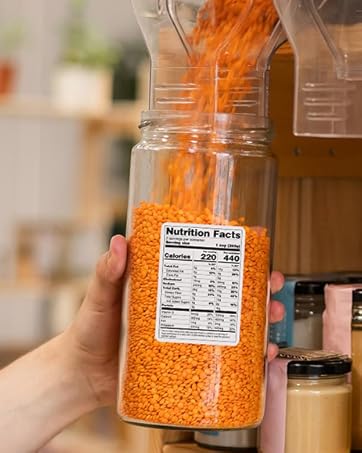
| Specific Uses For Product | Phomemo M250 label printer can be widely used in small and larger label, barcode, qr code, cable, address, name, mailing, jars,canning label, food label,office & home organization. Whether you're at home or working at office, the small label maker is a great choice. |
| Total Usb Ports | 1 |
| Warranty Description | 1 Year |
| Warranty Type | Limited |
K**W
This is a very good label printer!
TL;DR: It's a great label printer and I am thrilled with it's performance and software. The label maker came well packaged with a quick start guide, a starter roll of labels, and links in the guide to downloading the phone and Windows software. I purchased this label maker for a number of uses, including labelling salvaged lithium ion batteries. For this use I wanted to use the MS Windows software so I could import data into the label maker and then have it print out sets of labels. The software is very easy to use, with a lot of options to design and create labels. The import feature is well thought out and allows me to import fields and mix them with other text. So far I have printed over 100 labels and I haven't had any errors or issues. I will also be using this to print labels for shelving, storage and who knows what else. I appreciate the large variety of labels that you can purchase. I did set it up on my phone and found the bluetooth connectivity is stable and it works well. The label maker offers a good value for the money and I can see many other uses for it.
S**N
📦 Labeling Game = Leveled Up! 🎯
Okay, I knew I’d love this Phomemo M250 Label Maker, but wow—it’s even better than expected! 🔥 ✅ Fast & efficient – Prints up to 5000 labels on a single charge! ✅ Versatile & customizable – Works for barcodes, QR codes, mailing labels, pantry organization, and more! ✅ Compact & portable – Lightweight enough to take anywhere. ✅ Easy to use – Bluetooth connectivity + the Print Master app = endless creative options! This little powerhouse is a total must-have for home organization, small business needs, or just satisfying your inner label-obsessed self. If you love neatness, efficiency, and cool gadgets—this is your sign!
C**K
Battery life is great
We ordered this to label our canned goods and to write recipes on and it is the perfect addition to our food storage needs. Easy to use great valve
M**.
Doesn’t work with the apps
I’m tired of messing with this printer. I’ve tried 3 different apps from Phomemo and only one sorta works. Label Life and Phomemo - DO NOT WORK with this model. Today I’ve spent 2 frustrating hours trying to download the Phomemo drivers and Windows app on my HP laptop. I’m stuck in a download loop meaning - it says the download is complete and I restart as I’m supposed to but there is no application to open. I own the Phomemo D30 - why should I have to bounce between 3 apps. Waste of storage space on my phone and frustrating to have to learn all 3. I need a more organized company to deal with than this. ALSO, there isn’t a case for this available. That little dumb lever on the side makes it too big for any other case. I spent SO long dealing with this and now I’m pissed. Supposedly using the app on your laptop enables you to import and print your own graphics. I have a small soap and candle business so I need this. If you can’t use your printer then there is no value for the money. And Phomemo should have all apps updated and ready to go when they release a new product.
T**Z
Great product for the price
This label printer is super easy to print. The quality is pretty decent and ease of set up is very easy. You download the app and connect and they have a bunch of templates that you can actually edit. The print speed is super fast comes right out quality is nice and heavy duty. It seems pretty solid and the functionality works. Perfect those exactly what I needed. The only downfall is the labels themselves. I feel should be more sticky to hold things down especially if you’re wrapping any homemade items it does not like to stay on unless you’re putting it on something like metal but if it was going on a paper bag, it does not hold well
D**D
Love this label maker. Battery lasts a long time as well
Love everything about this label gadget. So far I've only had one issue. If you move it around at all just make sure that the label roll is centered and the side latches are pushed in properly so the roll doesn't slide or move as it doesn't lock in, they push up against each side of the roll and the roll must be centered otherwise your label will print off center. I didn't notice at first so couldn't figure out why my design was cut off but customer service was great about helping me and they even sent me a free roll of labels due to waste when troubleshooting. It was so simple but the directions don't mention to make sure label roll is centered, although it is shown in the diagram under label installation. I'm having so much fun with this and it's a must have for my natural skincare products I'm getting ready to put on the market. The phomemo labels are great quality as well. If your bottle gets wet it doesn't damage the labels at all. I've noticed my infused oil bottles that leaked a bit of oil down the side made a slight oil stain but that's to be expected. I've just used many types of labels and they fall apart if the lid or jar gets wet but these don't so it's worth the few extra dollars for quality labels
A**R
Good value for the price with limitations
Plan on using it hardwired to your PC with USB. If you are wanting to make your own creative labels the app on ios and PC seems pretty good. However I need to mass produce labels without farting around with the app. I was able to configure windows with the label size in the printer and print them from other apps without extra steps. However it is not possible to "send" a print from an app on ios to the printer in the same manner as I can on windows, as it does not support airprint and it is not possible to "send" something on ios in another app to the print master app - a big limitation that does not work for me - basically you HAVE to use the print master app on iOS to create your labels, if you want to print from other apps you are basically screwed unless you want to save to your photo library and then open the picture in their label app and print from there. It works well with windows if you bypass the app altogether and can get the label size into the driver - but this is only about 50% of my requirement and I may return this and look for an airprint AND windows compatible label printer.
J**L
Easy to use and prints virtually any label we require. The design is sleek and the size is perfect for occasionally needed but can be stored easily
C**R
sowohl die App als auch der Drucker sind hervorragend. Für mich als Schriftenfetischist sollte die Auflösung statt 200 vielleicht 300 dpi sein. Der Drucker druckt sauber und schnell. Die Handhabung und der Wechsel der Etiketten rollen geht einfach und schnell von statten. Der Akku hält sehr lang. Die Software arbeitet gut und präzise, hält sich aber an keine modernen Layout Standards in denen man dort, wo die Schrift ist, auch die Wörter editieren kann. Aber das scheint bei allen Druckern so zu sein, weil die Firma, die diese Software macht immer das gleiche Konzept anwendet. Der Drucker erkennt selbst wo die Etiketten anfangen und justiert Diese vor dem Druck. er kam bei mir mit allen Etiketten egal von welchem Hersteller zurecht.
T**M
Please be aware that when you buy this product, that it is coming from China. And, you need to download the App on your mobile phone. By downloading the App, you also agree to sharing/giving access to ALL your contact details. I could not by-pass this part and had to click "yes" in order to move forward to using/testing the printer.
C**N
Rapide, efficace. Application intuitive. Elle fonctionne énormément pour étiqueter mes produits.
R**S
La Phomemo M250 Impresora de Etiquetas es una solución portátil ideal para pequeñas empresas, retail y proyectos personales que requieren etiquetado eficiente y de calidad. Diseñada para trabajar con smartphones y PC, esta impresora térmica autoadhesiva se destaca por su facilidad de uso, portabilidad y resultados profesionales. A continuación, responderemos a las preguntas más frecuentes sobre su funcionamiento. ¿Es fácil de vincular? Sí, la Phomemo M250 es muy fácil de vincular tanto con smartphones como con PC. Conexión con smartphone: Solo necesitas descargar la aplicación móvil oficial (disponible en iOS y Android), activar el Bluetooth y emparejarla en pocos pasos. La interfaz de la app es intuitiva, lo que facilita configurar la impresora rápidamente. Conexión con PC: También se puede usar con computadoras mediante conexión USB o Bluetooth, dependiendo del modelo. Las instrucciones son claras y no requiere conocimientos avanzados para configurarla. ¿Es resistente al agua? Sí, las etiquetas impresas con la Phomemo M250 son resistentes al agua. Gracias a la tecnología de impresión térmica directa y los rollos de etiquetas autoadhesivas de alta calidad incluidos, las etiquetas no se ven afectadas por salpicaduras de agua, lo que las hace ideales para usos en productos que podrían estar expuestos a la humedad, como alimentos o envases. Sin embargo, para asegurar la resistencia, es importante utilizar los rollos oficiales de Phomemo u otros compatibles de buena calidad. ¿Es fácil de crear una etiqueta? Sí, crear etiquetas con la Phomemo M250 es extremadamente fácil. La aplicación móvil cuenta con plantillas prediseñadas y opciones personalizables para que puedas agregar texto, códigos de barras, imágenes y logotipos en pocos minutos. Si prefieres usar una computadora, también puedes diseñar etiquetas con software compatible, lo que amplía las posibilidades para diseños más complejos. El proceso es rápido, incluso para usuarios principiantes, y puedes imprimir tus etiquetas en menos de un minuto. -Características destacadas de la Phomemo M250- 1. Portabilidad Con un diseño compacto y ligero, la impresora es perfecta para llevarla contigo a cualquier lugar, ideal para negocios móviles o eventos. 2. Tecnología térmica sin tinta No necesita cartuchos ni tóner, lo que reduce los costos operativos y simplifica su mantenimiento. 3. Compatibilidad con smartphones y PC Puedes manejarla desde tu teléfono o computadora, lo que la hace versátil para diferentes escenarios de uso. 4. Rollos de etiquetas incluidos La impresora incluye un rollo de etiquetas autoadhesivas para empezar a trabajar de inmediato, y puedes adquirir más según tus necesidades. !<Ventajas y desventajas>! Ventajas: Fácil configuración y vinculación. Impresión rápida y clara. Etiquetas resistentes al agua. Diseño portátil y ligero. Sin necesidad de tinta ni tóner. Desventajas: Solo compatible con etiquetas térmicas específicas. No imprime en color (solo blanco y negro). La Phomemo M250 Impresora de Etiquetas es una excelente herramienta para pequeños negocios, retail y proyectos de etiquetado personalizados. Es fácil de configurar, de usar y ofrece resultados duraderos gracias a sus etiquetas resistentes al agua. Si buscas una solución económica, portátil y eficiente, esta impresora es una gran opción para tus necesidades diarias.
Trustpilot
3 days ago
2 weeks ago