Desertcart purchases this item on your behalf and handles shipping, customs, and support to South Korea.
📚 Elevate your reading game with color E Ink brilliance — because your eyes deserve the best!
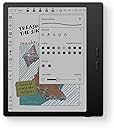
The BOOX Tablet Go Color 7 Gen II is a sleek, lightweight 7-inch color E Ink tablet running Android 13 on an octa-core CPU with 4GB RAM and 64GB storage. Featuring a 1680x1264 Kaleido 3 display with 4096 colors, it supports active stylus input (InkSense) for note-taking and drawing. Its adjustable warm/cold front light and long-lasting 2300mAh battery make it ideal for immersive reading and productivity on the go. Designed for professionals who crave eye-friendly tech with versatile app support, it balances performance and portability in a stylish black finish.


| ASIN | B0F58ZHCX2 |
| Active Surface Area | 7 inches |
| Additional Features | E INK |
| Best Sellers Rank | #8,598 in Electronics ( See Top 100 in Electronics ) #172 in Computer Tablets |
| Brand | BOOX |
| Built-In Media | Device |
| Color | Black |
| Compatible Devices | Stylus Pen |
| Connectivity Technology | Wi-Fi |
| Customer Reviews | 3.9 out of 5 stars 351 Reviews |
| Display Type | E Ink |
| Item Dimensions L x W | 6.14"L x 5.39"W |
| Item Weight | 0.39 kg |
| Manufacturer | BOOX |
| Mfr Part Number | Go Color 7 Gen II |
| Model Name | Go Color 7 Gen II |
| Model Number | Go Color 7 Gen II |
| Native Resolution | 300 dpi in Black 150 dpi in Color |
| Number of Items | 1 |
| Operating System | Android |
| Pressure Sensitivity | 4096 levels |
| Screen Size | 7 inches |
| Special Feature | E INK |
| Specific Uses For Product | Reading, Drawing, Note-taking |
| Unit Count | 1 Count |
| Warranty Description | 1-Year non-hardware warranty |
J**K
Amazing device, but definitely not for everyone.
I've been using this "tablet" for a while and I love it, but I was looking for an e-reader that happens to run Android, and that may put me in the minority. So, what is this not good for? Technically, by name, this is a tablet, but I wouldn't call it that. You are not going to watch movies or YouTube videos on this. You can browse the web in a pinch, but a lot of content will seem very unusual because of the screen's refresh rate. Most of your apps will not work very well, also because of the screen type. You will not be playing anything but the most basic games, again because of the screen, and because the SoC is very lower power in order to get better battery life. So, what IS it good for? Reading!!! It comes with its own book store/app, but you can also install Kindle, Goole Play Books, Libby, news apps, whatever you want to read. The colors are a bit muted, so if you're a fan of visual novels, you might be unimpressed, but it works just fine for that otherwise. The screen is pretty good. Not quite as good of detail as my last Kindle, but the backlight has more configuration. It's nice and light, and I really like the page flip buttons. Technically, they're volume buttons, but they can be configured to flip pages in apps I use. The battery life has been great for me. I charge it about once a week, but I could probably wait 2-3 weeks. It makes use of pretty aggressive power saving features to enable that battery life while running Android. Expect to wait close to a minute for it to start up when you want to use it.
S**L
Been waiting to have this, love it so far
Love the size, weight and feel when holding it. It feels comfortable in my hand when I'm reading without or with a case. I love that it's a e-ink table; easier on my eyes. Plus I am able to download my kindle, nook, and reading apps instead of having several stand alone e-readers. The battery life does not last as long as a stand alone e-reader but then again it is a mini e-tablet so it will use more battery power but depending on how often you use it I think battery life is decent. I usually charge it every couple of days. There are definitely improvements that can be done to make it better but I can say that about everything. Overall, I love this product.
A**N
Great if you love tinkering
First, let me preface that I'm a power user. I only really had 2 options when upgrading my Kindle: 1) purchase the most current Kindle and figure out how to jailbreak it to run Alpine Linux (and hope it doesn't get bricked at some point down the line), 2) get an Android based e-reader. The latter being a more turnkey solution, I looked at the offerings from Boox. As luck would have it, the v2 of the Color Go happened to be launching the same week that I started seriously considering making a purchase, so the timing was impeccable. With regards to the device itself, it feels pretty robust. The weight and feel of it is premium to my hands. The large bezel on the side makes it very easy to hold and I do like the texture on the back of the device for even better grip and feel. While the weight makes it feel more substantial than my outgoing Kindle, it's still nowhere near heavy enough for me to feel uncomfortable during 4-5 hour reading sessions. I think my own gripe with the device is that the volume buttons feel slightly loose in the housing, but this is being nitpicky. Battery life so far has been acceptable to me. With stock settings the device completely shuts down after 10-15 mins. At these power settings, the device easily lasts weeks between charges. Since the startup time of the device is quite long (~1 min), I only shut the device down after 8 hours of idling, since I don't always have long reading sessions. Oftentimes, I'll read a few chapters in between other activities, and doing this setting allows me to hop straight back in within 1-2 secs. Even at this setting I'm getting about a week of life. When it comes to actually using it, the glass of the screen has a nice finish and the touchscreen is plenty responsive for an e-reader. The resolution seems more than adequate for the content I consume. There are lots of refresh modes and a few toggles with regards to contrast and vividness, and I've found that each type of content has its own optimized setting. Manga: There's enough resolution and contrast to where this reads almost like an actual tankoban. Only downside is when using Viz or ShonenJump app, there's no way to map the volume buttons to page turn. I believe this is an app limitation, not a device limitation. My manga through the Kindle store works just fine. Comics: I was hoping to use this to catch up on back issues from series that I've fallen behind on. This is probably where the device is the weakest. The colors are muted and cause the screen to be very dark. I'll either have to turn up the brightness really high (which causes even more washing out of the color), or use an external light source. However, for my use case, this is still completely passable as the only other alternatives are to use a bulkier Android tablet, or reading from the actual raw books instead. This is mainly where I'm taking off a star, since this was my primary reason for going with color instead of black and white. Ebooks: Being that the device runs on Android, I have access to literally everything. Over the last decade, I've amassed a collection of DRM ebooks from different marketplaces, as well as random epubs and pdfs. I can read my Kindle books through the Kindle app, Google books through Google Books, etc.. I also have a Calibre server at home which I can easily access using this device. I'm able to open all of my books using its respective native app. Compared to other devices, there's a fair amount of customizability that you're able to do. The device is great once you figure everything out, and it's somewhat required to get the most out of it. That said, I suspect that people looking for a turnkey ereader for all of their content might get frustrated. As an Android and Linux user, I'm no stranger to any of this, and it's right up my alley. Last note, I had no desire to get the pen for this device since I have other devices for that. I have no idea if this feature is any good.
J**S
Very Disappointed — Screen Cracked by Itself, No Warranty Support
I bought the Boox Go Color 7 (Gen 2) and really liked it at first — lightweight, nice screen, and perfect for reading and note-taking. But after just a few monthes of careful use (always kept in the case), the screen suddenly stopped displaying properly. There was no drop, no pressure, and no visible crack, yet the display was clearly damaged. I contacted customer service, but they said it was a “physical damage” issue not covered by warranty and quoted about $165 for repair. That’s extremely frustrating considering how fragile the screen seems to be. I’ve handled e-readers for years and never experienced this kind of problem. It’s disappointing that such an expensive device can fail on its own and customer support offers no real help. Definitely think twice before buying — the screen durability and warranty policy are not what you’d expect for the price.
M**I
Best E-Reader Out There? maybe…
I was looking for a new device to try to streamline my ereader(s) into one but still have both a color option and a note taking/stylus writing option. I needed e-ink, so a iPad was out. This device absolutely does what I needed, and more. I needed to be able to access ebooks from both my Kindle account, Nook, Libby, Hoopla, and be able to easily import long form AO3 fics. The BooxGo Color far exceeds my expectations. I have full access and functionality for my Kindle library, including my KU subscription, and because the device has a built in browser the process of accessing then downloading fics from The Archive is SEAMLESS. It also has speakers so I can do my DuoLingo and listen to audiobooks through Audible/Chirp/The Library. (Or use headphones) It’s the perfect size, I was able to find a cover for it pretty easily (although I wish we had more options). The only slightly negative is that it didn’t already come with a stylus, and after sleep the startup takes a few beats. The setup was pretty straight forward and after a few weeks I’ve decided I love it so much I sold the other two ereaders this device was replacing.
A**R
Great e-reader!!
The Boox Go Color 7 is a great product! I previously used a kindle paper white, but now I think I prefer the Boox. There is a learning curve to figuring out how to operate the Boox, but once you get the hang of it, it is easy. I love that I can download books straight from Libby and Kindle Unlimited. You can also use Boox drop to send epub files over Bluetooth! Weight and screen wise, the Boox is lighter and easier to hold. There is a grip to the back of it, and the buttons make it easy to turn the page. The screen quality is great, and I love that you can see the colors in the books. There is some ghosting to the screen, so this is something to consider if you do not like that. The battery life is great as well! Overall, I love the usability of the Boox Go color, and I would recommend this product.
E**S
Cannot change backlight tone/color and swipe gestures do not work.
Not user friendly. Swipe gestures do not work. Unable to change backlight color. Aside from that... it's compact. It does what it says it will do, aside from the above. It DOES take a full minute to boot up like others have said. That being said maybe it is OK for reading a book or magazine but I could do that much cheaper on my tablet already. Shrugs. Would not recommend.
R**T
Swiss Army Knife of ereaders
I'm an engineer with experience in user experience design. This product has an unacceptable lack of polish and fitness for use, I liken it to the Heath Kit of e-readers. Learning how to use it is exactly like learning another language. Icons, terminology, menu locations are non-intuitive and require decoding. In several days of set-up activity, I've found that even AI assistants can't provide clear guidance. I want to put cycles into reading, not weeding through their user interface idiosyncrasies. An example: Having both a Nook and Kindle, I looked for a device that had physical buttons to control page turns. This Go 7 has buttons, but after much research, I found that the people at Boox set this e-READer product up such that the buttons control audio volume, not page turns -- and there is nothing a user can do about it. They prioritized audio over turning pages using those buttons that occupy so much real estate on the device. On an ereader. The attractiveness of this and other Boox devices is that it offers the most flexibility, circumventing ecosystem lock-in by competing brands. Before I decided to quit this device, I had Libby, Kindle and Nook apps more or less working, which in theory provides a one-device-experience to address my reading needs. The result of this otherwise laudable approach is endless quirks and complexity that dilutes the reading experience by imposing need to manage the device and its many non-intuitive settings. This device is trying to be the Swiss Army Knife and the flexibility it offers combined with the poor documentation on their site makes that flexibility it's biggest weakness IMHO. The display and battery performance did not impress me, given the fact that I needed a brighter setting, given my farsightedness. I wanted this device to work, but finally, I'm going to look for something that follows the "less is more" philosophy. I need the buttons and tweaking to get out of the way of the reading experience.
D**H
Jack of all product
Well you won't usually find this product being advertised much in India. But it is a good alternative to your all day Android needs except for heavy tasks. If you are too much into web browsing and reading and don't want to strain your eyes then this is perfect solution... A blend of Android aswell as ereader... Only issue is you won't find its case easily. Also you can use it if you find your kids addicted to mobiles and don't want to strain their eyes.
D**A
Lots of potential- Very disappointing
I was so excited to get this ereader because it's Android. I found it easy to set up and download all my apps, etc. But the navigation was so slow. It was always freezing and i needed to restart it constantly. When reading in BorrowBox, if I decided to change the settings, the app would close and I had to restart it and navigate back to my book. A bit inconvenient considering the price. It may be that Borrowbox is a large app and the boox hasn't got enough memory to keep it open when changing the settings, but that was why I bought it, to read library books. Though I don't have that problem with Borrow box on my 8.1 Android Galaxy tab A which is 9 years old. It's just an eye burner to read books on for extended periods. Considering the boox is Android 14, it shouldn't have that problem. Also the ghosting and lagging were too much considering the price. And the colour isn't any great advantage. It's more economical and convenient to buy the books from Amazon and use my kindle than to buy the boox device.
A**S
Perfecto para Leer Manga
Es la mejor compra que he tenido, actualmente estuve leyendo 15 tomos de manga en enero y otros 17 en febrero. Me gusta leer en viajes largos, antes de dormir, o en el trabajo. Yo lo uso para leer Mangas y esta perfecto, porque puedes meterlos directamente en el lector aun con formato CBZ, o usar cualquier app.
A**ー
Bigme B7 Proから乗り換え
Kindle Colorsoft→Bigme B7 Proを経てこちらのBOOX Go Color7へたどり着きましたが買ってみて大正解でした ・Kindle Colorsoft カラーEinkがどんなものか興味があったので購入、想像以上に綺麗で驚いたものの動作が重すぎて他に何かないか探すことに ・Bigme B7 Pro どうせなら高性能なものをとこちらを選択、画質などはKindle Colorsoftには劣るものの動作は軽快なためしばらく愛用していましたが、タッチ操作の誤動作が多く本体設定がまともにできない事がある&BOOXにはKindleなどでのページ切り替え時のスライドアニメーションをカットできる機能があるということで乗り換えて見ることに ・BOOX Go Color 7 Gen II Bigme B7 Proよりも全体的に性能が低めなのが気になって買うのを躊躇していましたが、実際使ってみると電子書籍を見る位なら全く問題無く軽快に動きました。 なによりアプリ毎に設定できるアニメーションカット機能や画質調整機能が素晴らしい Kindleアプリで設定で無効化できないページめくり時のスライドアニメーションも完全にカットしてくれるため不要な残像が発生しにくくなっています 画質優先でRegalモードにしていますが、こちらのモードはページ切り替え処理も優れているらしく自動リフレッシュ機能を使わなくても残像は目立たないし他の画質関連の設定を調整すれば漫画のグラデーションなども滑らかに表示されます。※ただしこの機能を使うと全体的に若干色が薄くなったような画質になります、個人的にはあまり気になりませんが また、カラー表示も優秀でKindle ColorsoftほどではないですがBigme B7よりも残像などが少なく綺麗に見えました Bigme B7の方もソフトウェア処理を改善すれば画質についてはBOOXに並ぶ可能性はありそうですが、値段を考えると個人的にはBOOX Go Color 7 Gen IIの方がオススメです。 ただBigme B7 Proの方は画面外にタッチボタンが備わっており、そこからメニュー表示や画面リフレッシュなどができるようになっていて非常に便利でした、この仕様の違いの捉え方で評価は違ってくるかもしれません。
C**E
Muito bug
Muito lento Buga o tempo todo, e não consegue carregar as coisas
Trustpilot
2 months ago
1 month ago