Desertcart purchases this item on your behalf and handles shipping, customs, and support to South Korea.
📸 Keep your memories alive and your loved ones closer than ever!
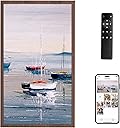
The Dragon Touch Classic 10 is a 10-inch HD digital photo frame featuring dual-band WiFi for rapid photo sharing, 32GB internal storage expandable via TF card and USB, and smart auto-rotation with ambient brightness adjustment. Designed for effortless setup and remote control operation, it’s the perfect modern gift to keep families connected through dynamic, cloud-updated photo displays.


| ASIN | B0CLVB73TV |
| Aspect Ratio | 16:9 |
| Best Sellers Rank | 74,584 in Electronics & Photo ( See Top 100 in Electronics & Photo ) 236 in Digital Frames |
| Brand | Dragon Touch |
| Brand Name | Dragon Touch |
| Colour | Walnut |
| Compatible Devices | Smartphone |
| Compatible devices | Smartphone |
| Connectivity technology | Wi-Fi |
| Customer Reviews | 4.1 out of 5 stars 113 Reviews |
| Human Interface Types | Touchscreen |
| Manufacturer | Dragon Touch |
| Manufacturer Part Number | 850045550486 |
| Memory Storage Capacity | 35 GB |
| Model Number | 850045550486 |
| Network Connectivity Technology | Wi-Fi |
| Power Source | Corded Electric |
| Resolution | 1080p |
| Screen Size | 21.5 Inches |
| Screen size | 21.5 Inches |
| UPC | 850045550486 |
| Unit Count | 1.0 count |
J**S
Perfecto
Excelente!!! Se ve muy bien y como plus trae sonido! 10 de 10
R**C
Just what I wanted - almost - but I'd buy it again.
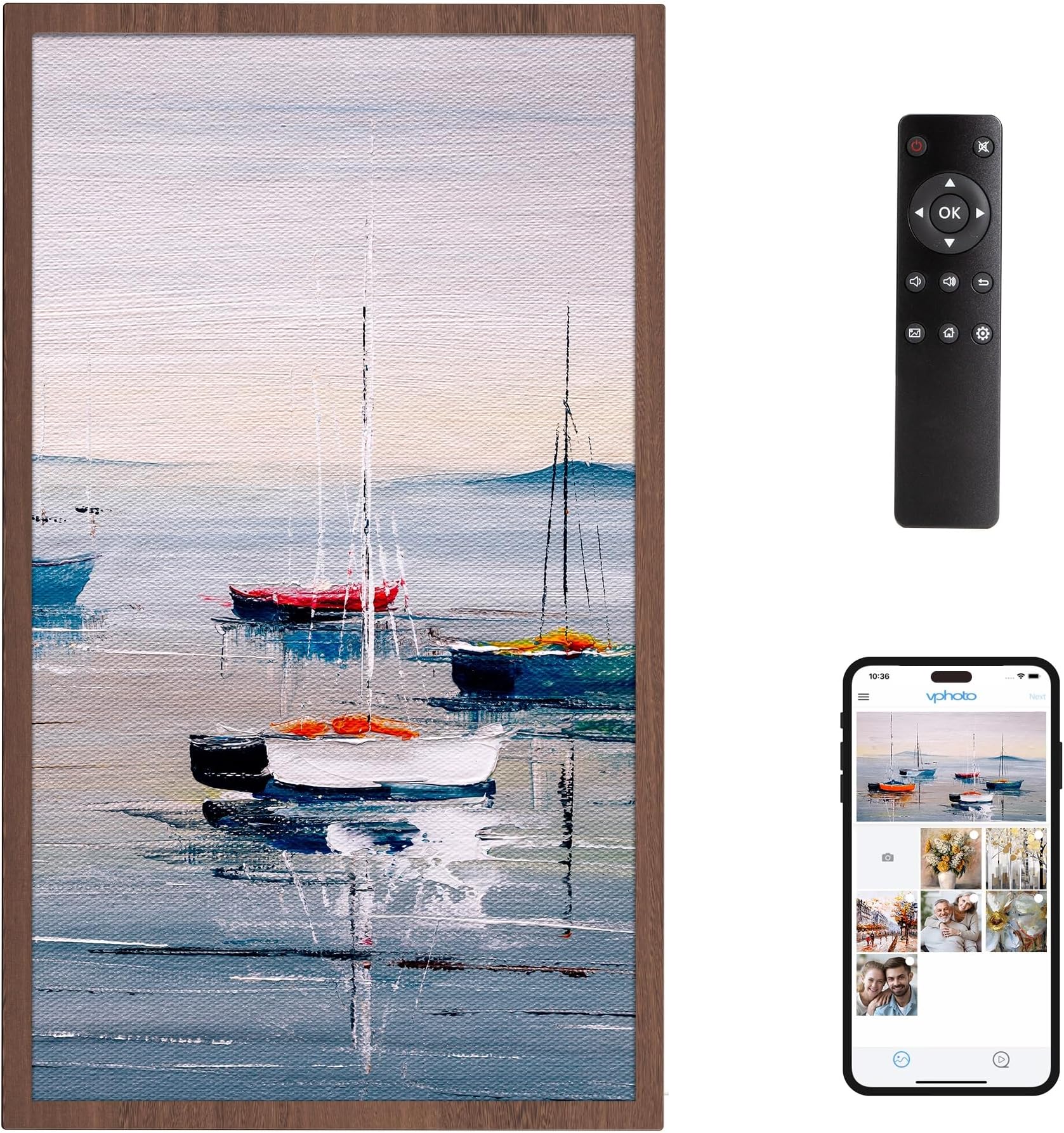
As an amateur photographer I don't take or load photos from my phone or tablet but rather from my Windows laptop after copying them from my DSLR. I chose this frame because of all the offerings this is the only one that has a remote (and no, it's not a touchscreen). I wanted the remote because I wanted to access the frame from across the room and just as importantly it allows me to pause the photo being displayed and use the back and forward arrows to scroll through the photos. There's also a function to delete, zoom(not useful), and display the photo info (date, size, filename). You can set the mode for how the photos transition (e.g. flip, accordion, or zoom, etc). Note that this is not found in the main settings - it's in the setting section when you press OK on the remote. This is also where the slideshow interval is set (min=5 secs). See photo. (Sleep) Time off and time on are set in the main settings menu (button on remote) as well as email addresses allowed to send to the frame, wi-fi and display settings. The one thing I had trouble with was emailing to the frame. After working with Cust Support (they were good), it turned out that filenames that had a "#" symbol in the filename weren't accepted by the frame. I don't know what other symbols may not work but dash and underscore work. I mass download my existing photos onto a usb drive but I use the email function to send photos when there are only a few. It might take a minute or 2 for them to show up but when they do you get a audio notification from the frame. It worked with multiple attachments - I would doubt it would work with, say, Google Drive links. The pics go to the internal storage-no option to put them on the usb natively from the frame but you can plug the frame into a laptop and copy them off. While this wouldn't make sense for me, if you get a lot of photos from friends and family and want to back them up, this would be how to do it. The one thing I really find annoying is that for photos that don't fill the screen, it tries to fill the empty space with similar colors as what's in the photo and I find that distracting. I would like to see an option where the empty space could be solid black. You can also see an example of this on the photo I've attached. I'd buy it again though. The only
C**L
Beautiful pictures and great features.
I need a device that would allow me to display my photos with taking up much space on my walls or countertops. The Dragon surpassed my wants and needs! There is the photo album feature, different clocks, a calendar, alarm and the weather. It’s not touch screen, but there is a remote. The picture quality is crisp and beautiful. You can pause on one picture to display just the one you selected or let the slideshow run to show your photo album. You must have a WiFi connection if you want to upload pics from your phone to the device through their app. You can also use an SD card as well to transfer photos. Set up is very easy. You can play music and videos as well as there is sound that you have the option to turn off or on. I took one star off as sometimes the remote lags and freezes the display. I have to turn it off and turn it back on for it to function properly again. Overall great product!
K**B
Sooo nice!!
This digital picture frame is beautiful!! -The clarity of the pictures is so nice. The frame is beautiful and elegant. I love that when the screen is off, it has a nice matt finish rather than a super shiny “black screen” look. -The size is amazing. We have it hanging in our kitchen and we can see the pictures to nicely whether we are in the kitchen, living room, or off in the sunroom. -The remote is easy to use. -The set up was easy and straightforward. -There are several ways to upload pictures. I used the app method which allows you to upload 50 at a time. -you can upload music and videos as well! -You can set the screen to turn off when no one is in the room, or have a sleep timer set to conserve energy. -It comes with a stand so you can have it on a shelf or hung on a wall (vertical or landscape view). It does have to be plugged in. This makes a beautiful gift for anyone…or for yourself like I did! I’m so impressed with this frame and highly recommend it!
P**G
Nice frame but weak app
Photo frame is very nice for my needs of displaying personal art. But the Vphoto app only allows sending photos, but cannot manage the photos already on the frame. That has to be done on the frame itself with the remote. A pain. An upgraded Vphoto app would be wonderful.
Trustpilot
2 months ago
2 weeks ago