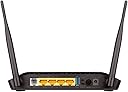
I received this product from Amazon without a scratch, and in time. Now I would like to clear some of the doubts that arise in your mind after reading all the negative reviews on this beautiful product. This device replaced my 4 year old Netgear DGN1000 N-150 Modem / Wi-Fi Router, two days ago, after it started to malfunction due to a lightening strike near my place. The D-Link DSL-2750U ADSL2+ Modem / N 300 Wi-Fi Router is a bang on the buck. Here's why: 1) I purchased the device for Rs. 1,890/- (incl. quick delivery charge), and at that price, it is a steal! I would have purchased it even at its usual price, for it is the most in-expensive combo device by one of the most reliable brands. 2) In the box, you get a meter long telephone cable, and a Cat 5e patch cable, an ADSL splitter, the setup disc, warranty booklet, and a quick setup guide. I have put the splitter, telephone patch cable, and the setup disc to use while setting up the device with my desktop computer, and they all work PERFECTLY! Setting up my BSNL DSL connection using the setup wizard has never been so easy. You simply have to provide the details the wizard prompts you for, and you will be good to go! 3) It is extremely light weight, and it does NOT feel plasticy or cheap. The glossy finish on the top of the device makes it look more attractive. 4) The device is in "ON" state since I configured it yesterday, and there has absolutely been no glitch of any sort with its operations. Both, Wi-Fi, and DSL connections have been VERY stable so far. 5) I have a CCTV Network DVR at home that stays ON 24*7, which means my Internet connection has to remain in ON condition at all times in order to feed it the network connection for remote monitoring. Heating becomes a major issue in such conditions, and I keep monitoring the temperature of the device quite often. The device gets hot, but not as hot as my Netgear Modem / Router used to get despite it being only an N-150 device. I don't entirely blame the device for getting hot because I don't keep the room well ventilated. I can say with confidence that it produces much lesser heat in a well ventilated room; especially in AC environment. 6) Wi-Fi signal strength - I live in a 30' x 40' house, and my computer and all of my gadgets are on the first floor house (not duplex). I can easily stream videos in my ground floor house and stream my live CCTV feed from almost all the places at home. We have a whole ceiling mould to consider for the WiFi signal to penetrate, and then we have several concrete walls also. I get at least 2 lines of signal strength throughout my place. So yes, it is pretty good, and I cannot ask for more from it! 7) Configuring Firewall, Port Forwarding, LAN configuration making Wireless settings, etc have all been really easy. Of-course I have more than basic amount of networking knowledge, but which beginner would want to meddle with port forwarding and other such features without its knowledge? I don't see what it is that made some people here complaint about the user interface of the device's stock firmware. I assure you it is not as bad as some people here portray it. I cannot really comment about D-Link support, as I'm new to it. Hopefully with this device, I don't have to contact them. There can only be three kinds of people who complaint here. a) Noobs - they have less - zero knowledge about technology, but they take a shot at reviewing it anyway. b) Pros - they buy a consumer level product and complaint about its lack of features for professional use. c) Unfortunate buyers - they have genuine complaints, but their cry is over-shadowed by (a) and (b)'s reviews. --------------------------------------------------------------------------------------------------------------------------------------------------- UPDATE: -------- 1) The device is running flawlessly ever since I purchased it on 11/Oct/2014, and today is 06/Mar/2015. 2) I leave it ON for weeks, and I restart the device only when my Internet connection has issues (on the ISP's end - BSNL) 3) A couple of months ago, I even upgraded its firmware with the latest one that's available. Took it like a champ ;) 4) Your computer that's connected to this device can access a USB pen drive by connecting it to the USB port at the back of the device, and by configuring the SAMBA server from the router configuration page before hand. For more help, contact D-Link support through email, and they will give you the steps to do so. UPDATE 2: (12-Jan-2016) ---------------------------------------- 1) Still working great! 2) I have ordered the same device for two other friends of mine recently! One is already in use, and the other in on its way. 3) You would probably receive hardware version "V1" with new purchases. The only drawback is, there are NO firmware updates for these latest device yet, and the WiFi indicator does NOT blink on WiFi usage with the stock firmware. UPDATE 3: (10-May-2016) ---------------------------------------- This summer was the hottest in Bengaluru (close to 40°C), and the device heated up in my poorly ventilated room like a pre-heated oven. Still, no signs of glitches of any sort in its working. What a hardware!