๐ Connect More, Do More โ The Hub That Means Business
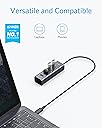
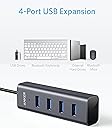
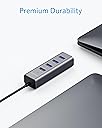
The Anker USB-C Hub converts one USB-C port into four USB 3.0 ports, delivering up to 5 Gbps data transfer speeds in a sleek aluminum design. Compatible with a wide range of devices including MacBook Pro (2017/2018), Chromebook, and Galaxy smartphones, it offers professional-grade connectivity with trusted Anker reliability and an 18-month warranty.
| ASIN | B07DFYQXY7 |
| Additional Features | Sleek & Slim Design |
| Best Sellers Rank | #823 in USB Hubs |
| Brand | Anker |
| Color | Space Gray |
| Compatible Devices | Laptops, Desktops, MacBooks, iPads, iPhones |
| Customer Reviews | 4.7 out of 5 stars 3,415 Reviews |
| Data Transfer Rate | 5 gigabits_per_second |
| Enclosure Material | Aluminum |
| Hardware Interface | USB, USB 2.0, USB 3.0 |
| Item Dimensions L x W x H | 5.08"L x 2.24"W x 0.94"H |
| Item Weight | 2.08 ounces |
| Manufacturer | Anker |
| Mfr Part Number | AK-848061055184 |
| Model Number | AK-848061055184 |
| Number of Ports | 4 |
| Operating System | Chromebook |
| Special Feature | Sleek & Slim Design |
| Total USB Ports | 4 |
| Total Usb Ports | 4 |
| UPC | 848061055184 |
| Warranty Description | 18-month warranty |
C**G
Yes, it works, and very well!
I am hesitant to buy off brand devices to solve connection problems with my tech. Unfortunately, Apple tech is expensive. Iโve bought (and returned) many devices that either havenโt worked or that havenโt lasted. Iโve found Anker devices very dependable in terms of providing working solutions and ones that last. I held my breath as I hooked this one up between a monitor with an hdmi connection and my new MacBook with a โCโ connection. It worked just fine! No problem! Anker solves another problem for me with a quality product!
M**R
solid, to the point, works; what else do you need
I needed more ports to connect a couple of external drives that I was connecting into a RAID-1 array. The drives were both USB 3.0 and quite inexpensive for their 4TB size. Combining the two was considerably less expensive than buying a dual enclosure RAID drive, so I decided to try this route. The only problem was that I was running out of hub space and on-computer ports. I saw this USB-C to USB-A adapter and realized that I could not only get more ports, I could also get more speed by running through USB-C and avoid a speed bottleneck. I've always been happy with Anker products, so I put in my order, received the adapter, plugged in the drives, formatted them, set up the RAID through the computer, and everything worked like a charm. If a drive fails in this unit, all I have to do is plug in another drive of the same size and tell the computer to rebuild. I've had three RAID failures in dual drives over the years, and in every case, the failure has been in the controller board, not the drives, which rendered the unit useless until I bought another dual unit enclosure or simply replaced it and reused the drives elsewhere. This Anker adapter allowed me to set up a cheaper and more flexible drive setup for less money with still good throughput. The unit itself is constructed solidly. The cord is long enough for convenient positioning, unlike a lot of this type adapter. It's solid, built on focus to its purpose, and it works flawlessly. And the price is quite reasonable.
J**D
Good Addition to My Mobile Tech Items
Ordered this guy for a macbook pro and it wasn't long before I was having intermittent problems with it (not reading or connecting to devices and in one instance, corrupting memory card data). At first I thought it was a user error or possibly a software or OS compatibility issue. I got frustrated and didn't have time to deal with it so I threw it in a drawer for 4 months (haha). When I had time I messed around with it some more and confirmed that there was a bad connection internally. I contacted customer support and a nice representative sent a new one out immediately. Got the new one within a week and everything works great so far. I like this unit because it's at the end of a short cord (as opposed to being connected directly to the port on the side of the laptop like another one I have) so that it doesn't put any unnecessary strain at the point of connection). This item is kept in my grab and go backpack that stores all of my laptop/ipad and mobile tech that goes with me to on-site jobs. I would recommend this item to friends.
A**T
Works as advertised, BUT ...
Okay, so I bought this to use with my MacBook Pro. I HATE the laptop keyboard, and I have NEVER liked using TrackPads, so I always carry a Logitech K400r keyboard & a wireless Logitech Marble. Both have wireless dongles & both are straight USB. Which is an issue since the MacBook is ONLY USB-C. I do have the standard Apple Dongle, but that had only 1 USB port. I was plugging an old USB hub into that, but it was bulky, slow, & had a separate power source. Which made for a lot of clutter on my desk. So I figured I would use this, it would eliminate the need for the Apple Dongle, and the power cable, along with being MUCH smaller, and the color matches my Mac. All good so far. Add to that, it feels solid. I THINK its got an Aluminum case, but even if it isn't it SOUNDS like Metal. So That's another plus. The MAIN issue I have with it is the cord. Its much shorter than my last hub, but its still TOO long. It only needs to plug into my laptop, not be out of sight somewhere. 2 inches would be plenty, but this is just 3x too long. I tried coiling up the excess, but it created interference with the WiFi dongles. So now I just have it loose. Everything works fine, it just bugs me. Other than that, its a perfectly fine product. If it had the shorter cord, I would have given it 5*'s
K**R
Solid device that seems to support USB3 properly
I still have some well-working USB-3 devices that I have to connect to my MAC Mini using USB-C ports. I had been consuming 2 USB-C Ports for 2 external DVD Drives and needed to add a new USB-C peripheral, so this cable let me connect the 2 drives to one USB-C port. In the past I have seen performance issues when doing that but this hub seems to run at least as fast as my devices, so there is no performance loss and I freed up a valuable USB-C port for a new external device. I saw a comment from someone about the cord length. In my case I would have liked to have the cord shorter, but I am OK with the length which seems to be 18-24 inches.
B**M
It works, even on battery-driven laptops!
Just works as advertised โ even on a battery-powered MacBook Pro. I have two, one for desk machine and one for MacBook. Both are reliable.
S**N
Small and out-of-the-way 4-port USB hub
A nice, small footprint that adds 4 USB ports to my desktop. I gave up on full-sized PC towers and went with a high-quality business-class laptop with a docking station to connect the monitor, speakers, keyboard/mouse, Ethernet cable, and external backup drives. But I still needed some extra USB ports handy to connect other things like my phone, a headset, USB jump drives, etc. This Anker fit the bill perfectly. It has a small, green, unobtrusive LED power-on light that isn't too bright at night. Definitely recommend this little USB hub.
M**.
WELL ANKER PROVED ME WRONG
THIS IS AN EDITED REVIEW: The original item I received appeared to be defective and Anker asked to send me a new one, which I accepted hesitently and it worked as expected. Well done Anker, few companies today would make sure that the customer is satisfied like you did. I like a clean desk and clean lines, I also bought myself a new Apple MacBook Air and the lack of ports sent me looking for a hub for all the items I looked to plug in. Looking for in purchase: -Sturdy -Value -USB 3.0 (at a minimum) -Long Cord Design: The Anker USB C Hub to 4 USB 3.0 has a sleek and clean look. The metallic grey works great with the MacBooks and the slim design is great for hiding it underneath a desk. Issues: When I checked the transfer speeds of the devices plugged in they were well below the USB 3.0 speeds and the up to 5GB that was advertised with the item. (Anker sent a new one and I believe that it was just a defective unit) Cost: $17.99 Positives: ++Material ++Look ++Design ++Build Quality ++Cost ++Transfer speeds (on the second one) Negatives: --Slow transfer speeds (on the first one) Final Thoughts: I did reach out to the company and they offered two solutions. One that I plug the item in faster, which caught me off guard that the speed I physically plug something in could affect the transfer rate. (Yes, I confirmed that they meant to plug the item in faster). The other solution was that they would send me a new item, which I did take them up on and the new item worked with zero issue. It transferred at top speed and worked perfectly with both an SD Card reader and a SSD enclosure (among other things). I will say I wish it had USB-C ports but, they never claimed that it did so no knock for that. I love the cord length and all and all works great. Would I recommend: Absolutely I would. This is a great product and the company stands behind the item, that is rare in todayโs world.
R**T
A great bit of kit
This is a simple but effective USB 3 hub, just plug into a USB 3 port and you now have 4 USB 3 ports to use. Not a lot to say about it, I installed it, connected two external USB3 hard drives and forgot about it. It just works. The hub feels well made and like it will last a long time. I have other Anker product and haven't had any problems with them.
A**R
It Sort Of Works
It works... sporadically. Choose a better option.
R**Y
Reliable 4 x USB 3.0 expansion
I read many reviews about cheap USB 3.0 hubs which only have one or two 3.0 slots with the others being USB 2.0. I wanted to ensure my music gear was running at its best so I spend a bit more on this Anker hub and I feel totally confident with it. Plus it feels very well made. A USB hub is not really a thing to get excited about, but I know I'd feel some anxiety if I'd gone for a cheaper one. Do yourself a favour and put doubt aside.
A**R
Does whatโs it supposed to well
Great usb c hub works well without any latency. Really like the little indicator light. All metal build and has a good weight to it. The usb c cable is also decently long. 5 stars
A**Y
Does a good job with USB A devices
This does a good job connecting up a range of usb sticks, powered external drives or memory card readers. It doesn't seem to cope with USB powered hard drives though.
Trustpilot
1 month ago
3 days ago