

Buy anything from 5,000+ international stores. One checkout price. No surprise fees. Join 2M+ shoppers on Desertcart.
Desertcart purchases this item on your behalf and handles shipping, customs, and support to South Korea.
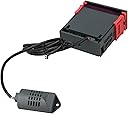
Features:*Intelligent Temperature Control: The SHT2000 thermostat offers precise temperature control with a range from -20 to 60 degrees Celsius, insure optimal conditions for your environment, whether for heating or cooling.*Humidity Regulation: This device features adjustable humidity settings, allowing users to set start and stop humidity levels for efficient humidification or dehumidification, making it good for various applications like supermarkets or workshops.*User-Friendly Interface: With an intuitive setup process involving simple button presses, users can easily configure the thermostat's settings for both temperature and humidity without hassle.*Versatile Output Options: The thermostat supports relay output with a maximum power of 10A, making it suitable for controlling various appliances such as heaters and dehumidifiers with ease.*Accurate Measurements: Equipped with temperature measurement accuracy of ±0.3 degrees and humidity accuracy of ±3%, the SHT2000 ensures reliable performance, providing peace of mind that your settings are precise and effective.Specifications:Product Name: Temperature and Humidity ControllerMaterial:PlasticSize:As shownColor:Black Product Model: SHT2000Power supply frequency: 50/60HzTemperature range: -20~60degCHumidity range: 0%~ RHTemperature measurement accuracy: 0.3Humidity measurement accuracy: 3%Output Control: Relay OutputOutput Power: MAX 10ASetting method: Start valueSetting method: Start value > stop value (the program automatically determines the working mode is cooling/dehumidifying modeHeating/cooling mode setting:Setting mode: setting (starting temperature): Press and hold the ▲ button to start the temperature flashing. Use ▲▼ key to set the starting temperature value.Setting (stop temperature): Press and hold the ▼ button to stop the temperature flashing. Use ▲▼ to set the stop temperature value.Heating use case: control the water heater, heat to 65 deg C to stop, the temperature drops back to 50 deg C and start heating againStep 1: heating mode, starting temperatureStep 2: Press and hold the ▲ button to start the temperature flashing. Use ▲▼ to set the starting temperature to 50 degC.Step 3: Press and hold the ▼ button to stop the temperature flashing. Set the stop temperature to 65 degC with ▲▼ keys, and the setting is completed!Refrigeration use case: use in the farm, the fan is ventilated to 26 deg C to stop, the temperature is raised to 30 deg C and the ventilation is started again.Step 1: cooling mode, starting temperature > stop temperatureStep 2: Press and hold the ▲ button to start the temperature flashing. Use ▲▼ to set the starting temperature to 30 degC.Step 3: Press and hold the ▼ button to stop the temperature flashing. Use ▲▼ to set the stop temperature to 26degC. The setting is completed!Humidification/Dehumidification Mode Settings:Setting (start humidity): Press and hold △ key to start the humidity value flashing. Set the humidity value by △ ▽ key. Set [Stop Humidity]: Press and hold △ key to stop the humidity value flashing, and set the humidity to stop by △ ▽ key value.Humidification example: fresh supermarket humidification, control humidifier 50% RH began to humidify, humidified to 80% RH to stop humidification.Setup steps:Step 1: Press and hold the △ button for 3 seconds to start the humidity value flashing, and set the starting humidity value to 50% RH.Step 2: long press the ▽ button for 3 seconds to stop the humidity value flashing, set the value to 80% RH, the setting is completed, the button does not operate for 5 seconds, and automatically returns to the normal display state.Dehumidification example: workshop control exhaust dehumidification , humidity 70% RH starts dehumidification, humidity 40% RH stops dehumidificationSetup steps:Step 1: Press and hold the △ button for 3 seconds to start the humidity value flashing, and set the starting humidity value to 40% RH.Step 2: Press and hold the ▽ button for 3 seconds to stop the humidity value flashing, set the value to 70% RH, the setting is completed, the button does not operate for 5 seconds, and automatically returns to the normal display state.Package Content:1* Thermostat
| ASIN | B0FLQ5TTYQ |
| Brand | ZUZZEE |
| Brand Name | ZUZZEE |
| Color | As Picture Show |
| Item Weight | 106 Grams |
| Manufacturer | ZUZZEE |
| Material | Plastic |
| Material Type | Plastic |
| Model | 00XV6794NX1310633JDYUNX20L1A27 |
| Part Number | 00XV6794NX1310633JDYUNX20L1A27 |
Trustpilot
3 weeks ago
2 months ago