Buy anything from 5,000+ international stores. One checkout price. No surprise fees. Join 2M+ shoppers on Desertcart.
Desertcart purchases this item on your behalf and handles shipping, customs, and support to South Korea.
🌈 Small Screen, Big Impact: Elevate your projects with vibrant OLED brilliance!
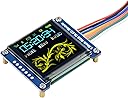
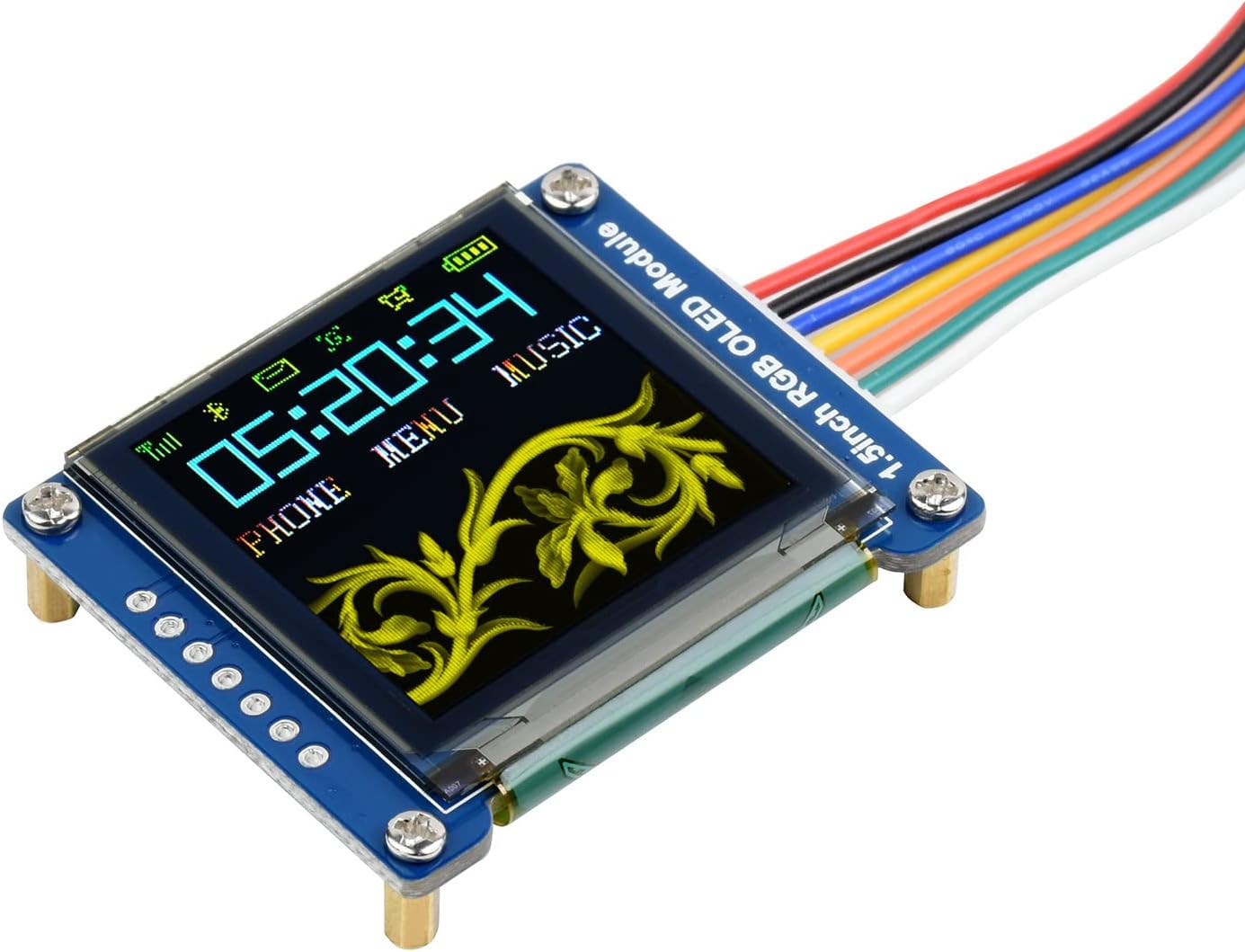
The Waveshare 1.5-inch RGB OLED Display Module delivers a sharp 128x128 pixel resolution with 16-bit color depth, showcasing over 65,000 vivid colors. Featuring an embedded controller and flexible SPI interface options, it ensures easy integration into diverse projects. Ideal for developers, it includes comprehensive resources and examples for popular platforms like Raspberry Pi and STM32, making it a top choice for compact, high-quality visual displays.


| ASIN | B07DB5YFGW |
| Best Sellers Rank | #2,551 in Single Board Computers (Computers & Accessories) |
| Brand | waveshare |
| Built-In Media | Cable, OLED Display Module |
| CPU Manufacturer | VIA |
| CPU Model | AMD E Series |
| Compatible Devices | Raspberry Pi, Arduino, STM32 |
| Connectivity Technology | LAN |
| Customer Reviews | 4.3 out of 5 stars 153 Reviews |
| Included Components | Cable, OLED Display Module |
| Item Weight | 0.01 Kilograms |
| Manufacturer | Waveshare |
| Mfr Part Number | 1.5inch RGB OLED Module |
| Model Name | 1.5inch RGB OLED Display Module |
| Model Number | 1.5inch RGB OLED Module |
| Processor Brand | VIA |
| Smart Home Compatibility | Not Smart Home Compatible |
| UPC | 657419923682 614961952102 |
| Unit Count | 1.0 Count |
| Wireless Compability | 802.11n |
S**.
Phan Tastyk...
UPDATE: See attached photo of parameter mod-menu attached to synthesizer sequencer project that can be found on you tube on channel moeller's workshop. Assembly details are documented there. Hi, this is nice display yes? Ah, but a wang-doodler bad-time to make work... Why yoo ask? Well, I tell you.. listen close, because I'm only going to type this once, okay here goze... There are a lot of pins, and they all have to be hooked to the right ones on your controller of choice, but the real pain comes when you try to compile the code and get errors like "Can't compile for Arduino"... yikes! What do you doo? Well, I tell you, so pay attention! I type only once okay? Look at narrative preceding error in the little black box area of your IDE, the spot you never pay attention to, and read what it says... I agree, it's all nonsense, but you may notice a message like "Multiple libraries exist, IDE chose: blaablaablaa.h" (Probably the GFX library) if this is the case you MUST delete all the other instances of that library and use the LATEST & GREATEST version, by doing this you force the IDE to choose it, if you doo that? Man you be back in BIZZZ... trust me.
B**E
Working great on a PJRC Teensy 3.6 SPI bus
Planning to use this display type in a product, so this little board was a great way to breadboard the design without having to make your own PCB. Nice that it has both a pigtail and pin header option for connecting to your project. The colors are not super bright, but they are nicely saturated. Of course the OLED has great black levels because it doesn't use backlighting. There's also no viewing angle limitations like a TFT display. The only complaint is the controller on these displays have no native screen rotation. On the plus side, it does have buffering (single) so no flicker.
A**M
Neat, tricky.
I picked this up to evaluate for use with a display emulator project along with a half-dozen or so other Waveshare screens. This is my first foray into developing an OLED screen. First, display quality is pretty decent as far as I can tell. Colors are bright and vivid as you would expect from OLED. That said, the brightness of the display seemed lacking overall, even at full white screen, it felt like it was at half brightness or something. Perhaps the nature of the beast? I'm not sure. Code-wise, I am developing in Python on Windows, driving the display with a SPIDriver, eventually porting to Raspberry Pi. I started with an existing driver class for a standard LCD screen and ported over the code from the demo. Took a bit to twiddling but got it to work the same as my other displays. Had to reference the datasheet a few times because the start sequence and commands were a bit different, but not a huge amount of work. Image quality is good, not great, like I mentioned. Colors look nice and saturated, but there just wasn't a lot of dynamic range or "pop". Most people are not buying these to display full color images, so this may not even matter to you. Every Waveshare display I've tested so far that claimed 65K color has also fully supported 262K color, and I was hoping this would be the same. The display chip supports it, so I assumed it would work like the others, however I've been unable to get it to look correct, only getting strange banding in color gradients. I'm either processing/sending data incorrectly, or the OLED unit itself can't handle the bigger byte, either way for now I can't confirm that 262K color works, but 12 and 16bit work fine. This display lost a star for being kind of a pain, more trouble to set up and get working right than any of my LCDs, and I'm still tuning and tweaking it for my needs. Hard to beat it for the price, though, and I'd still recommend it to anyone looking to start developing an OLED screen.
E**.
very bright and clear, easy to setup with raspberry pi
Hooked up to the SPI pins of my raspberry pi zero - thanks to the included cable there is no soldering required at all on the display side. Enabled SPI on the pi, downloaded the waveshare python sample from the waveshare wiki and it worked right away. The display is very bright and clear. For my project all I needed was the small OLED_Driver.py file. It has been running for several days now with no problems at all. It draws about an extra 100mA while on and can be switched on and off from software.
E**H
Nice looking but extremely complex display - a time-sink if you have a day or so to burn
In short: stay away unless you have time to burn or are an MCU genious. This board is overly complex and does not work with the latest Arduino IDE with an Arduino Uno. The driver code is buggy, as shown by the 4th parameter to print_String(...) - this is not opinion, this is fact, with the latest Arduino (1.8.12) and Arduino Uno. If another Arduino board should be used for the demo, then the vendor should state this - generic Arduino is is a myth. To assist developers, the vendor should clearly describe what this board is and come clean about the lack of I2C support. This aspect is rather deceptive to buyers. There's lots of chatter and implication about I2C, but no real substance. I cannot search all of the 4MB of the product info (let me repeat, 4MB!). It would be very nice if the vendor could provide a Hello World example, with no other look-what-i-can-do functionality in the code. Developers want to interface the board (to some? MCU) and see HelloWorld work - we all know that pixels can dance, we'll get to that later if HelloWorld works. I am a developer of 30+ years with 5 or so years of MCU experience - mainly AVR, Esp8266 and Esp32. I make the bulk of my living now with Esp32 and Azure, I am not a newbie to MCU's but I am also not an MCU genius. IMO, this board is too convoluted at this time. If you have a day or more of time to burn, have at it. My suggestion is that the vendor create a clean Hello World that (here's the key) actually works - a 2-minute test with the latest Arduino will prove this (don't assume, actually do the test). One should not have to back 20 versions in the Arduino IDE to get a demo to work - just test, test and then test again - quite simple actually. The sloppy pointer casting is not a good sign - C, C++, pick one, but do it right. I have not investigated as to whether this display with work with the Adafruit or U8G2 libraries. I tend to think it will not - but I don't know this to be true. If I discover that this display is supported in those libs, I will update my review - based on the efforts of those libs. If it did work, the vendor would probably promote that, somewhere. I usually like products from this vendor, and I hate to write a review this bad, but this display is not ready for general consumption (perhaps beta testing for those inclined). IMO, there's too much of the "get it in the door, and toss it against the wall and see if it sells", going on here. If I discover, at some point, some improved docs that TRULY have a working example, I will try them, and then update my review. The point of these reviews is to tell people how useful, or how miserable a product is - AS IS (not what it hopes to be one day). In my opinion, this product is not useful to me at this time. For now I'll keep going with the 0.91" and 0.96" popular 1306 displays as I need to produce, not tinker endlessly. Good luck
F**T
Works great with the Adafruit driver
Customer service was very helpful in getting this working. Part of the problem was the fairly primitive example library provided. I strongly recommend using the Adafruit_SSD1351 library instead. It works perfectly and has several advantages: 1) Allows definition of CS, DC, RST pins through constructor, not directly editing the library 2) 4x faster due to bit-banging of CS/DC pins rather than digitalWrite() 3) Uses progmem for fonts. The WaveShare driver takes up about 1.5k of RAM for fonts, which is a killer on a UNO. 4) Properly uses the CS pin, allowing multiple SPI devices. The WaveShare driver never de-asserts CS.
A**N
Great Quality
Very good OLD display. Highly recommended. Cable included.
R**R
Nice display, documentation not so much
As someone new to the Arduino hobby, I've been able to wire up basic circuits, light LEDs, etc. However, when it came to this display, I was completely lost. I'm an applications developer, so coding is familiar to me, but I just could not find adequate sample code to make this work. I was ready to send it back as defective, as I couldn't get it to respond at all. Luckily I found a tip from someone online to use the Adafruit libraries and suddenly everything worked. The display looks great. Just do yourself a favor and look to Adafruit for libraries and sample code for their 1.5" OLED RGB display to get you started.
M**O
Amazing Display
Works perfectly, great quality and colours
A**.
Sin problemas en Raspberry pi 5
Es necesario ejecutar el ejemplo 1in5_rgb.py del repositorio Oled de la marca. Funcionando perfectamente a 3.3v.
T**G
Nice display, not so great documentation
When I got this display I spent an entire day trying to figure out how to hook it up to an esp32-s3 board because the documentation is only for a particular Audrino board. On top of that the demo code would not work with my esp32 board, had to google alternatives. If you are new to esp-32 development it’ll be really hard to figure it out, but I finally was able to hook it up and use and it’s a really nice display once you get it working.
B**N
Nice display, works as expected, easy to use with Arduino
I'm using the display with a SparkFun Pro Micro clone and the Adafruit SSD1351 Arduino library. It's very straight forward and easy to use. Works and looks great. The included wires and screw stand offs are a nice bonus. Out of the box the device is setup to work with four wire SPI (data/command on its own wire). If you want to use three wire SPI you have to resolder a zero Ohm SMD resistor that works as a jumper. To hook it up you need the following signals: SPI data in (MOSI), SPI clock, SPI chip select and reset (it won't work without toggling the reset on power up), and then the optional SPI data/command.
M**E
Image trés nette
Testé sur ESP32 avec la librairie arduino , fonctionne très bien.
Trustpilot
2 months ago
2 weeks ago